Operations
The schedule, a jobs board you drag from order to invoiced, inventory with low-stock alerts, and a booking link customers can use.
CrewLineCRM keeps your schedule, your crew, your customers, your invoices and your payroll in one place, for one price that does not go up when you hire someone.
$99 or $499 a month, per business No per-seat charge inside your band A person sets you up
CrewLineCRM is $99 a month for up to 10 people and $499 a month for up to 25. Above that it is quoted, from $1,000 a month. The price is per business — every plan includes every module.
See the full pricing page, including what each plan covers and what is not included in the price.
No — not inside your band. Pro covers up to 10 people and Business up to 25, and everyone inside that number is included. Hiring an eighth tech on Pro does not change the bill.
It is worth being exact, because this is the part most software gets vague about: the band is a hard cap, not a soft warning. When you outgrow 10 people you move to Business. What does not happen is a per-seat line item that quietly grows every time you put someone on.
How the pricing models compare — per seat, per technician, and flat per business, including where we are the wrong choice.
Five modules, one login, one bill. Every plan gets all five — we don't sell the parts of your business back to you one at a time.
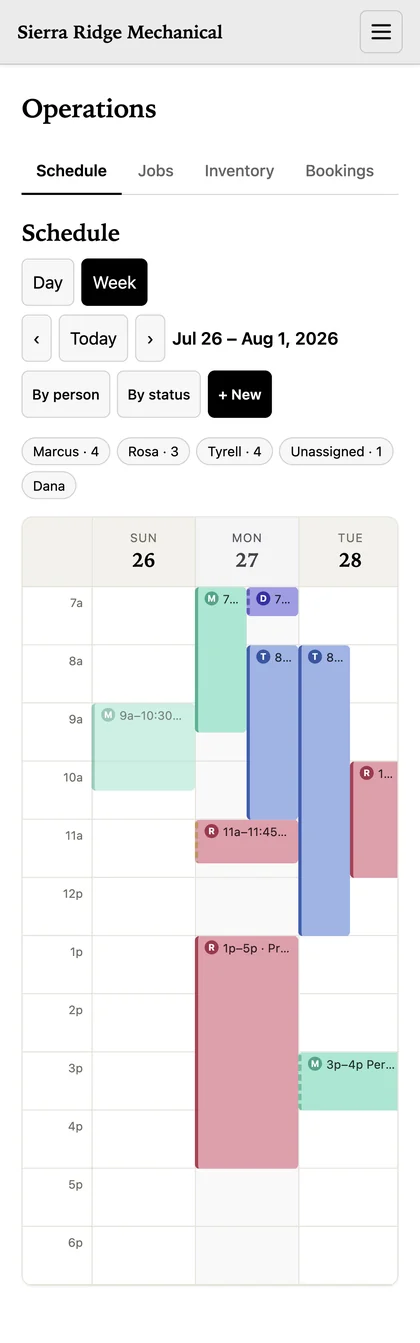
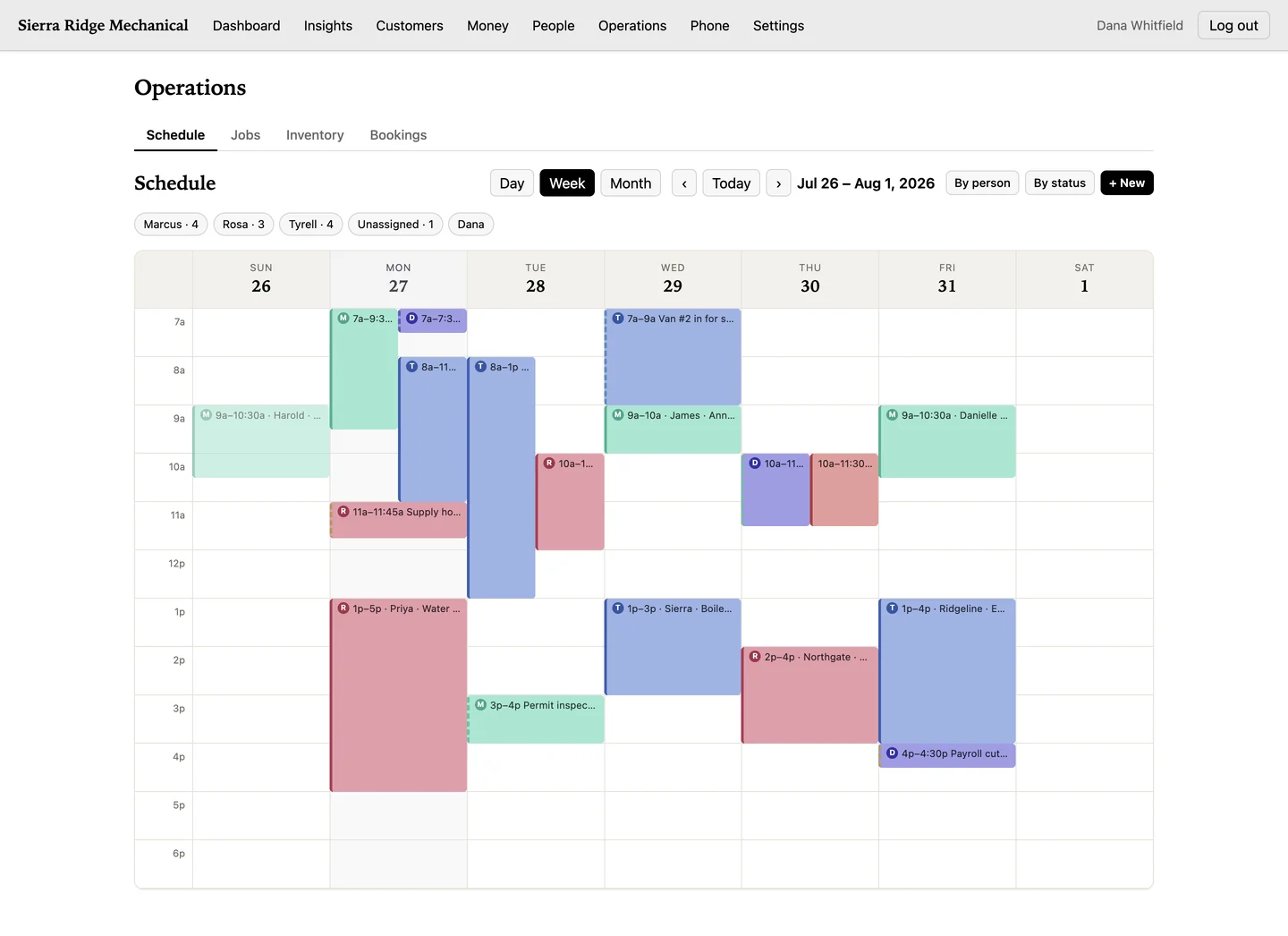
The schedule, a jobs board you drag from order to invoiced, inventory with low-stock alerts, and a booking link customers can use.
Invoices, the payments you record against them, expenses, pay runs, payroll tax figures and a books view your accountant can read.
Clients, leads, the pipeline, contracts, reviews and a document store — all hanging off the customer record instead of five places.
Your crew, their pay type and rate, timesheets, time-off balances and who is out this week.
Revenue by week, service mix, what you're owed, and where the jobs are coming from.
Owner, manager, staff and accountant. Your field crew can see the job and the customer's history without seeing payroll.
Everything each module does, module by module.
Day, week or month, filtered by person or by status. When a customer moves the 10 a.m., you change it once and everybody is looking at the same schedule — you are not texting five people to tell them it moved.
Four things people assume are included, that are not. We would rather you find out here than in month two.
The complete list of what it doesn't do — including sales tax, e-signatures, imports and overtime.
Because we would rather set up ten businesses properly than let a hundred sign up and bounce off a half-configured account. A person imports your customer list, sets up your services and rates, and gets your first week on the schedule before you rely on it.
What happens to your data — separation, export and backups.
Tell us a little about the business. If CrewLineCRM is a good fit we'll get you set up. If it isn't, we'll tell you that instead.