Staff directory
Everyone on the crew, with pay type and rate kept behind a permission of their own. Pay moves through one route only an owner or a manager can reach.
Five modules under one login — Operations, Money, Customers, People and Insights. This page goes through them one at a time, and says where each one stops.
All five modules on every plan $99 or $499 a month, per business Every screenshot below is the real product
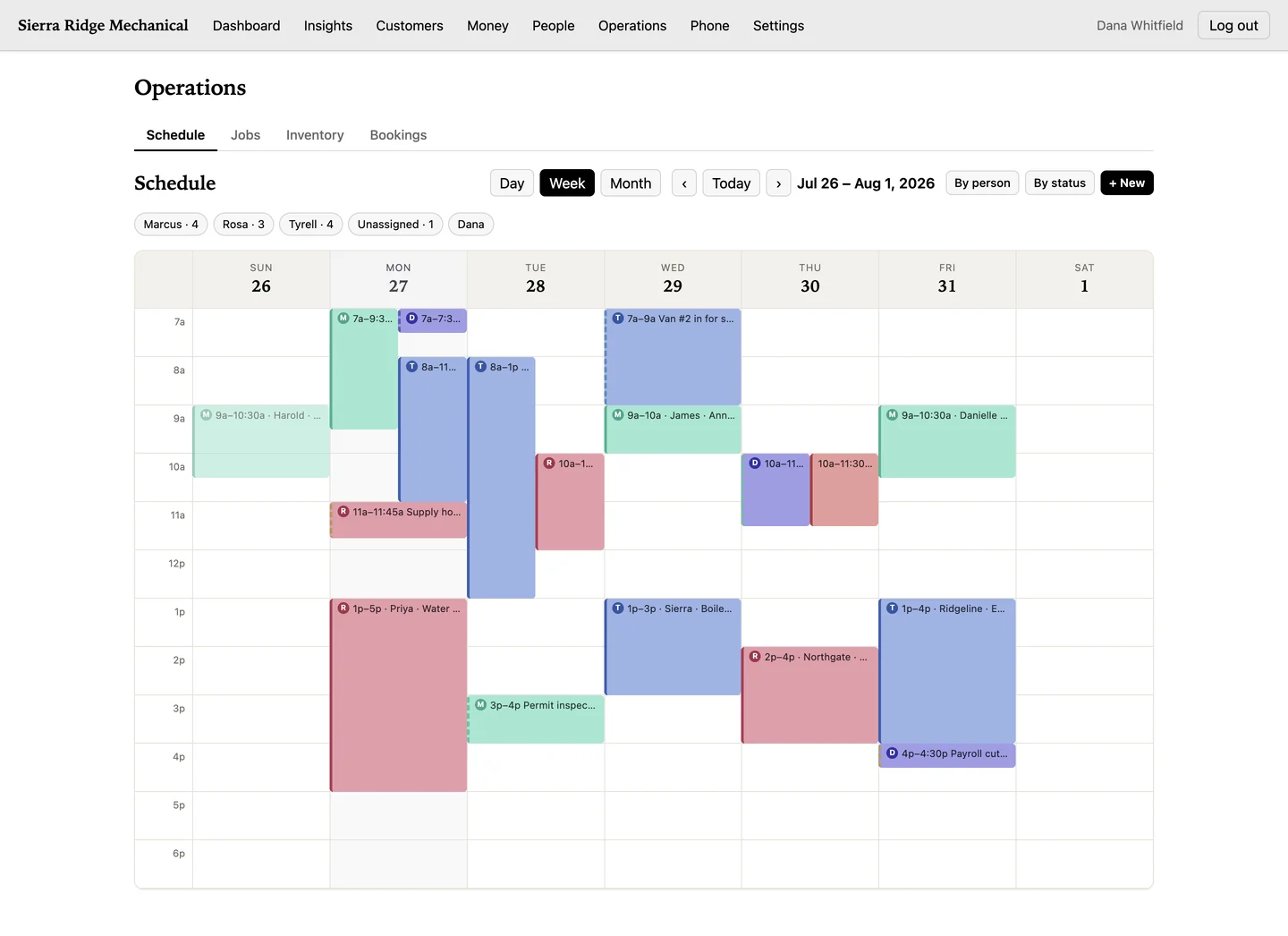
Yes — CrewLineCRM places work on a day, week or month calendar to the quarter hour, color-codes it by crew, and flags a conflict when two jobs land on one person at the same time.
Day, week and month, filtered by person or by status. Overlapping work gets its own lane instead of stacking on itself, and the week view widens to fit whatever that week holds.
Six columns, from order through to invoiced. This is the one board you drag on, and dragging needs a mouse or trackpad — on a phone you open the card and change its status instead. Drop a card in the next column and the status change is committed on the server — if the server refuses it, the card goes back. Batch-invoicing finished jobs is one action, behind a confirm.
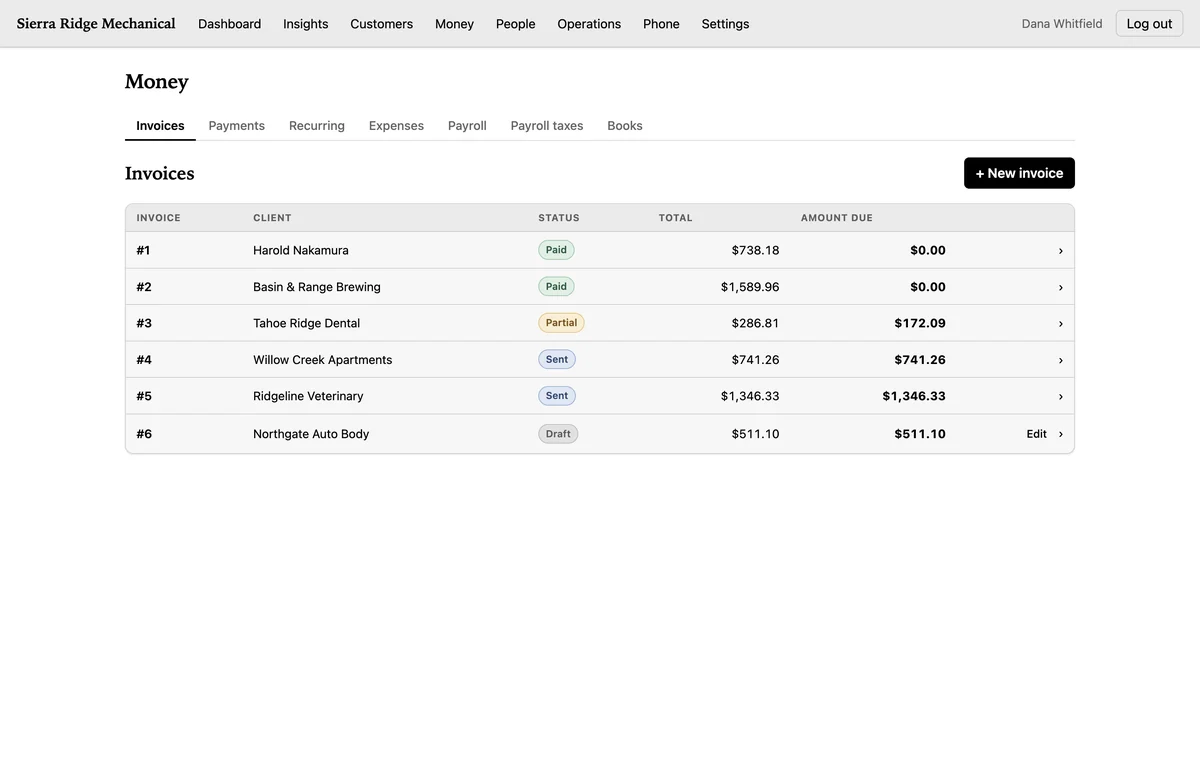
Yes — CrewLineCRM totals every invoice on the server in whole cents and records each payment against it, by card, cash, check or other. It records that money. It never processes it.
The browser never sends a total, a paid amount or a refunded amount — the server works all three out from the invoice. A payment that would take an invoice past its total is refused inside the transaction that would have written it, and refunds against one payment can never add up to more than that payment. Taking the card itself still happens wherever you take it today.
A pay run calculates federal income-tax withholding by the IRS Publication 15-T percentage method, plus Social Security and Medicare. Nevada employer taxes are figured per quarter: Modified Business Tax at 1.17% above the $50,000 quarterly exemption, plus unemployment insurance and the career-enhancement surcharge.
CrewLineCRM does not file or remit any of it, and prints that in a banner on every payroll screen. Payroll is straight time only, and no state withholding is calculated for any state.
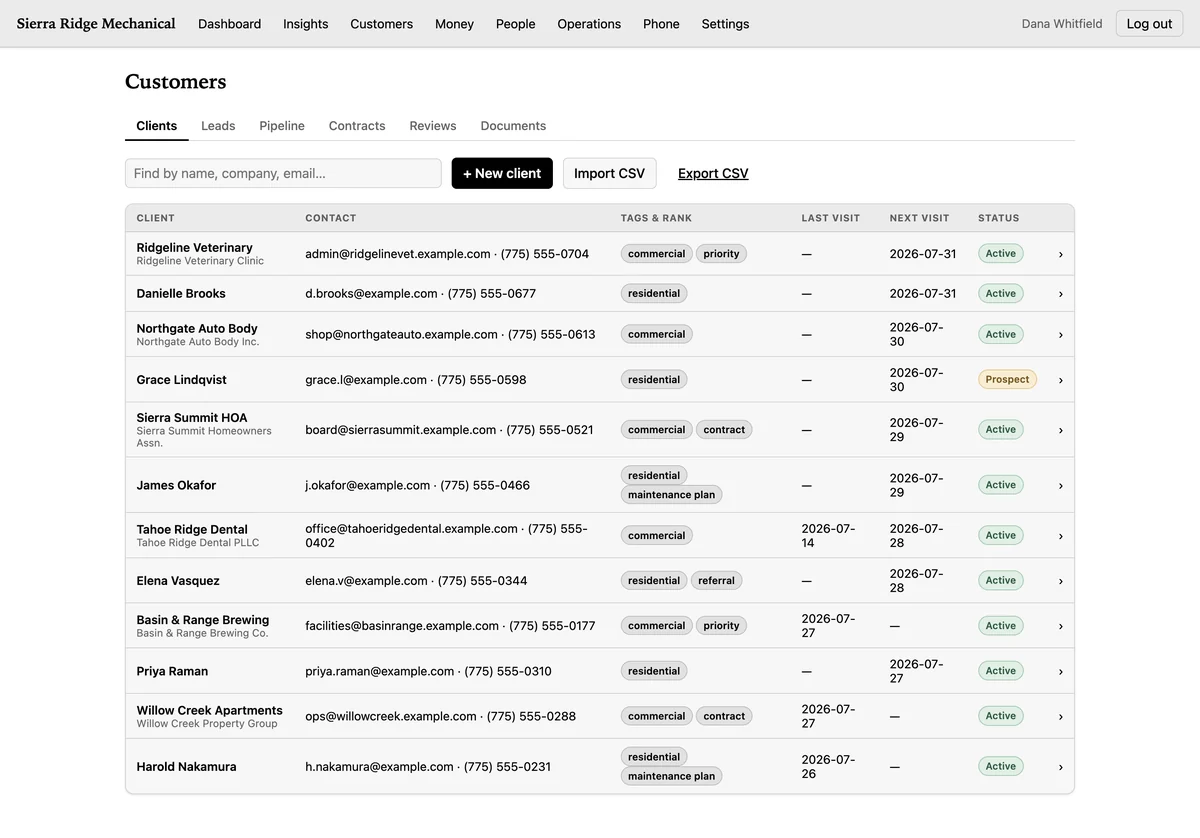
Yes — six things sit in one Customers module: clients, contacts, leads, the pipeline, contracts and reviews. A lead becomes a client in one click, and converting the same lead twice returns an error instead of a duplicate.
A client record carries tags, a rank, a status and your notes, and it archives rather than vanishes — deleting one outright belongs to the owner alone. Contacts hang off the client with a stage and a log of when you last spoke. Leads carry a value, a score and an expected close date.
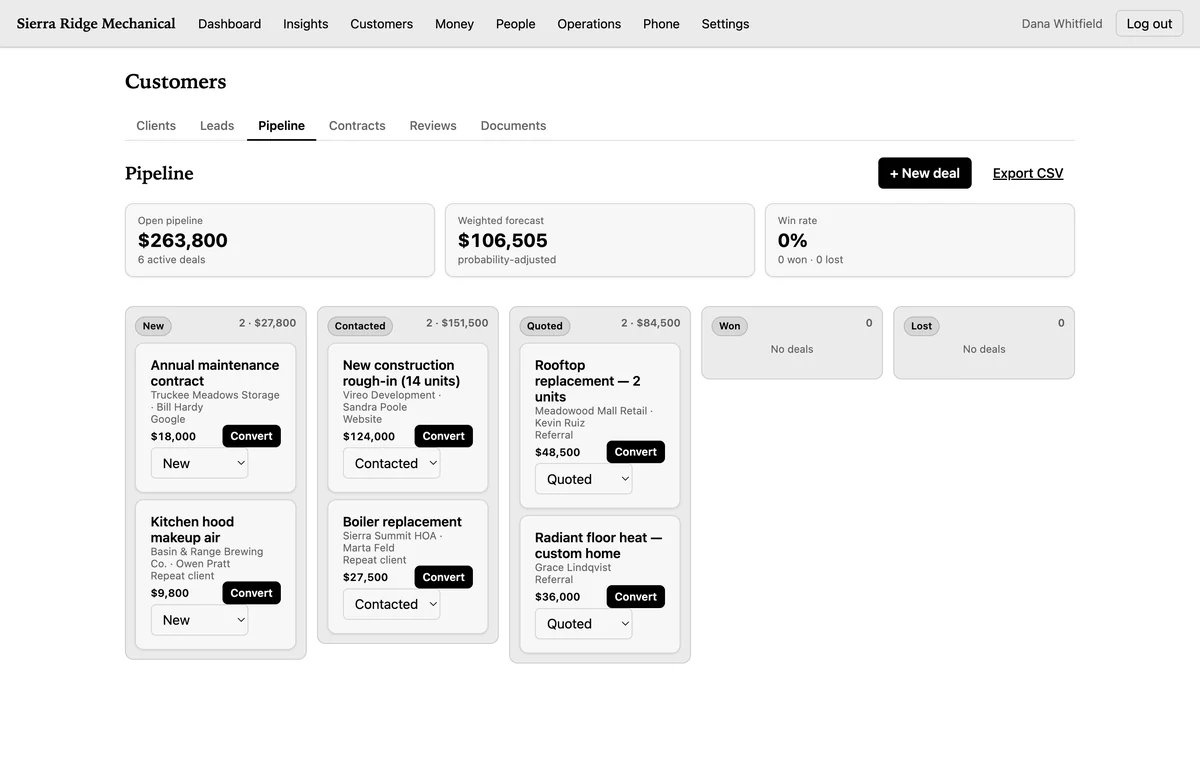
Deals sit in stage columns, with the open total and the weighted forecast across the top. You move a deal by choosing the new stage from the dropdown on its card: the board updates straight away, rolls back if the server refuses, and tells you to reload if somebody else got there first. There is no dragging on this board.
A contract records a title, a value, a status, an expiry and notes, and the server stamps the date when you mark it sent and the date when you mark it signed. That is a record that a contract was signed, not a signing tool: CrewLineCRM captures no signature and sends no signing link. Reviews are the same — you type in the rating, the source and your reply.
Yes — staff clock themselves in and out with both times stamped by the server, and every time-off request goes to an owner or a manager to approve or deny.
Everyone on the crew, with pay type and rate kept behind a permission of their own. Pay moves through one route only an owner or a manager can reach.
Clock-in and clock-out times come from the server, not the phone that tapped the button. A staff member can only clock themselves.
The request is raised by the person and the decision belongs to an owner or a manager.
Staff cannot see payroll at all, and cannot list the staff directory or anyone's pay.
CrewLineCRM shows revenue, cash flow, A/R aging, service mix, the lead funnel, customer growth and review velocity — seven views, each answering a question you would otherwise rebuild in a spreadsheet.
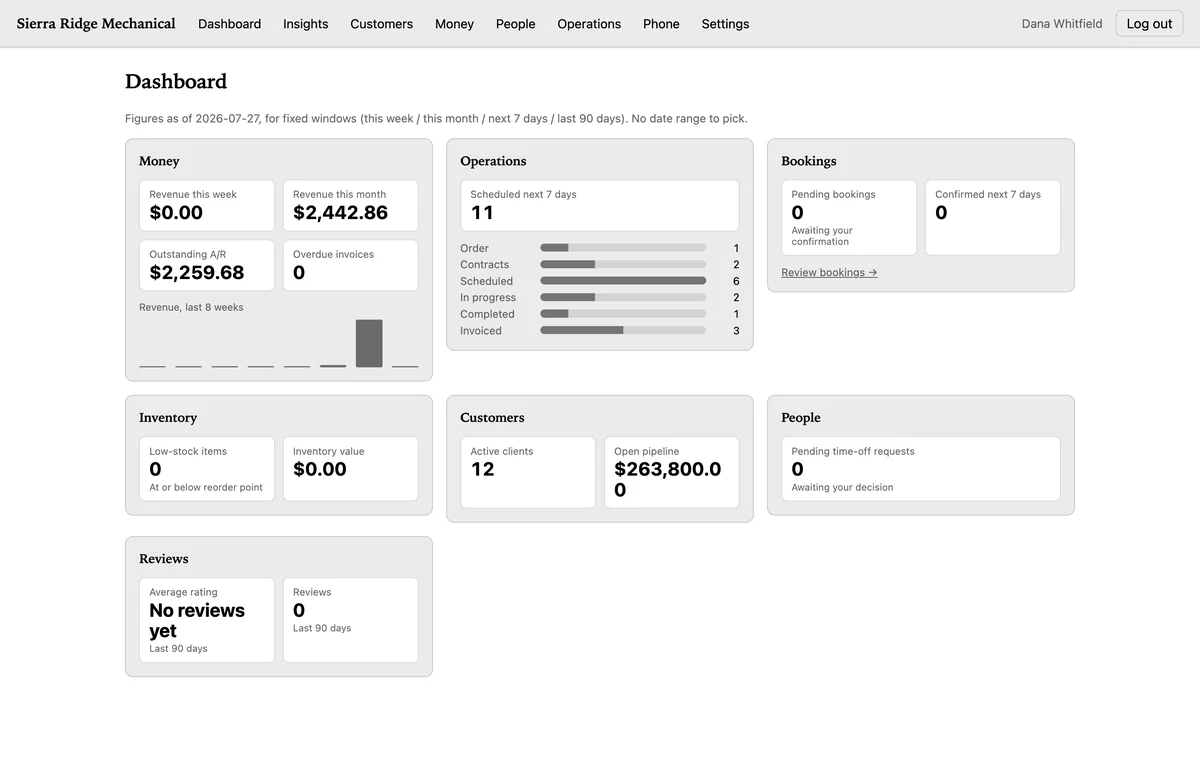
The dashboard is built group by group, and each group is gated twice: on whether that module is on for your business, and on your own permission to read it. A module you turned off is absent rather than broken, and a field tech gets an honestly small dashboard.
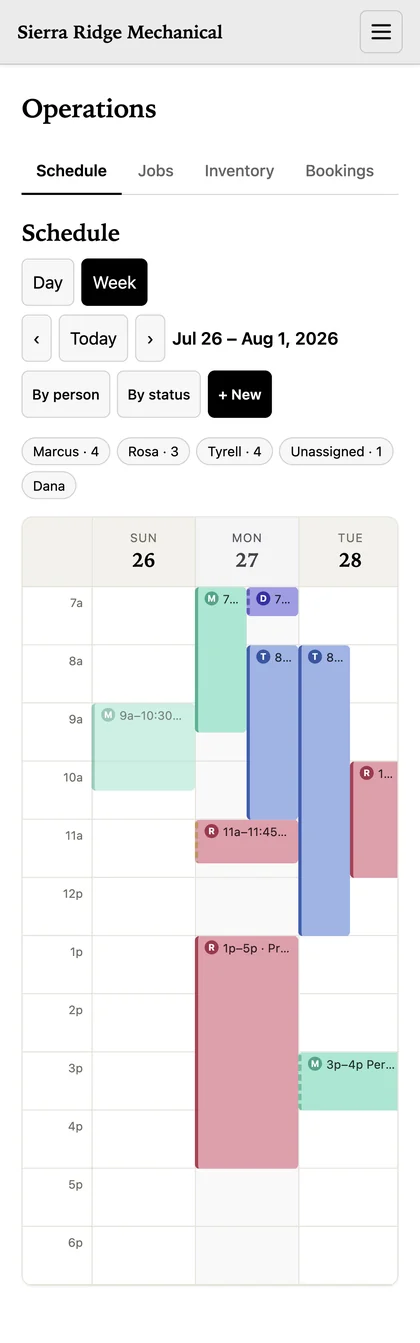
Yes, in the phone's browser: CrewLineCRM lays the same schedule out for a small screen, and a job photo is squeezed down to a 1600-pixel long edge before it ever leaves the phone.
That takes a picture from a 12-megapixel camera down to roughly 400 to 900 kilobytes — the difference between a photo that lands from a driveway on two bars and one that does not. Attachments are checked by their actual bytes, not the name on the file, and a file is visible to exactly the people who could already see the record it hangs off.
There is nothing to download and nothing in any store. It is the same login the office uses, opened in the browser already on the phone, and it needs a connection. The month view is hidden on a narrow screen.
CrewLineCRM has four roles — owner, manager, staff and accountant — on a default-deny matrix: a role reaches nothing it has not been explicitly granted.
Every route has to declare which capability it needs, and if one does not, the product refuses to start rather than shipping an unguarded door.
| Role | Where it stops |
|---|---|
| Owner | Nowhere inside the product. Deleting a client record outright belongs to the owner alone. |
| Manager | Cannot export data. Export is owner and accountant only; a manager is refused it. |
| Staff | Can read an invoice and its payment and refund ledger, but cannot send an invoice, take a payment or issue a refund. Cannot see payroll or the staff directory at all. Job prices are stripped out by the server, and their jobs and timesheets are scoped to their own rows. |
| Accountant | One of the two roles that can export, alongside the owner. |
An admin badge adds user management and the audit trail on top of a role, and carries no billing, settings, export or books. Your company's rows are separated in the database itself, not just in the page. More on where your data lives.
Seven things people assume are included and are not: invoice PDFs, e-signature, review collection from Google or Yelp, overtime, a phone system, a draggable schedule, and a complete data export.
The complete list of what it doesn't do, and which areas have no export yet.
CrewLineCRM has no signup button — you request access, a person reads the request, and if it is a fit they set the account up with your customers, your services and your rates already in it.
If it is not a fit, you get told that instead. The price is $99 a month for up to 10 people and $499 for up to 25, per business — and the seat count is a hard cap, not a warning you can ignore.
The questions people actually ask, and how the pricing models compare — including where CrewLineCRM is the wrong choice.